Why most traders stay stuck — and how BetterTrade breaks the cycle
🙄
"I keep making the same mistakes over and over"
The coaching engine shows exactly which behaviours are costing you R — ranked by severity so you know what to fix first
📉
"I don't know where I'm actually losing money"
Every leak is ranked by R cost — revenge trades, early exits, overtrading, edge decline — all quantified
📝
"I log trades, but I never come back to review them properly"
Trade Reviews, Daily Journal, and Weekly Report keep the improvement loop moving after the trade is closed
🔁
"Manual journaling takes too long, so my trade log falls behind"
Fast entry, duplicate-last-trade, saved templates, imports, and MT5 Auto Sync reduce the work it takes to keep your journal current
See it in action
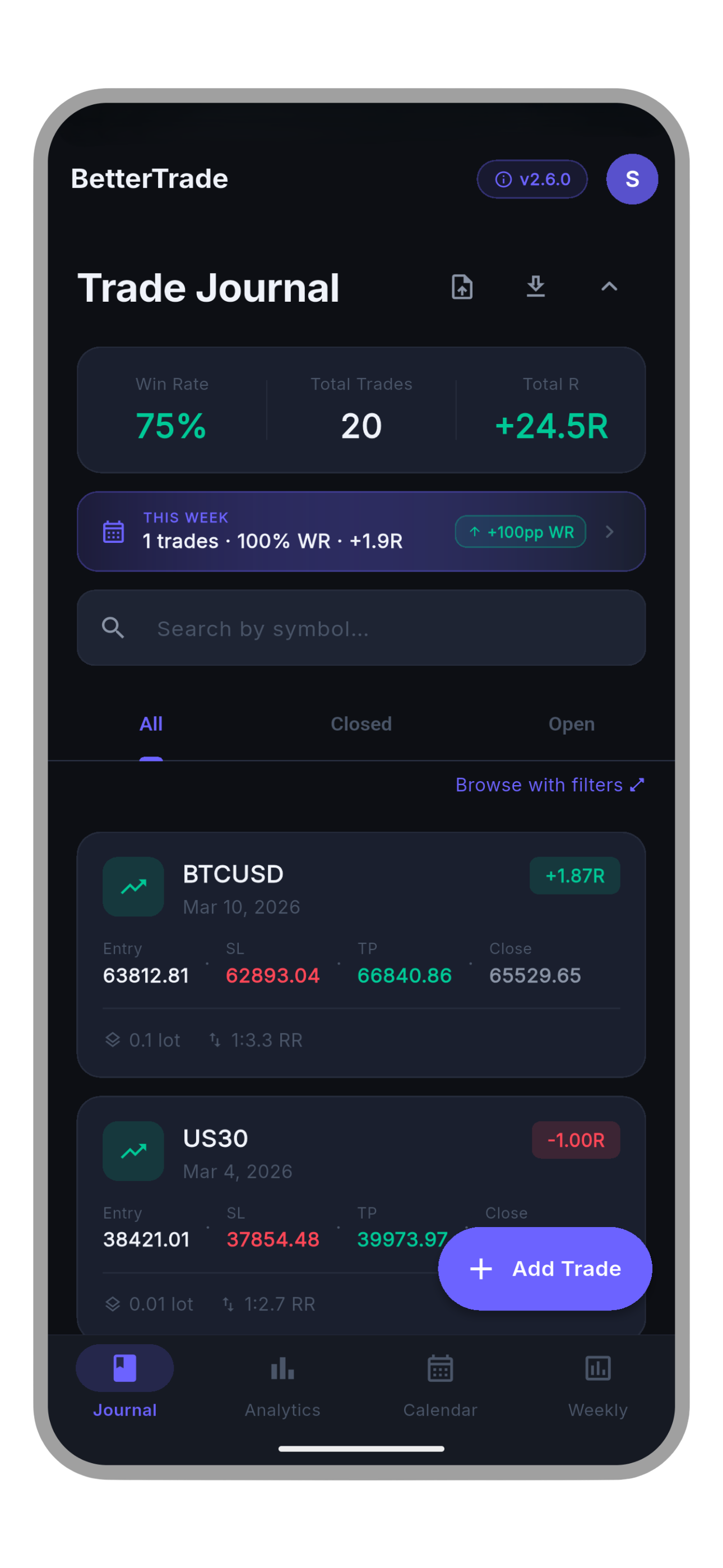
BetterTrade trade journal
Trade Journal
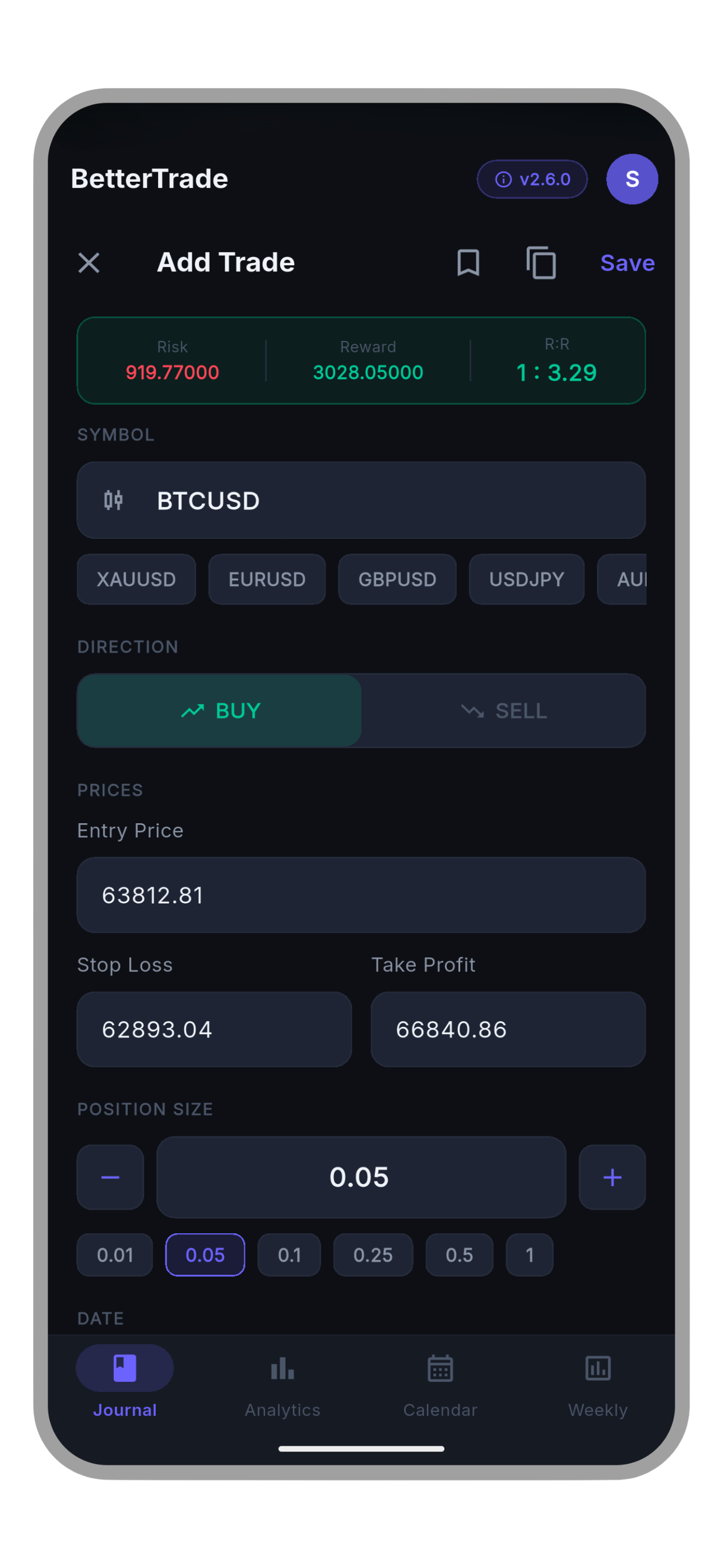
BetterTrade fast trade entry
Fast Entry and Auto R:R
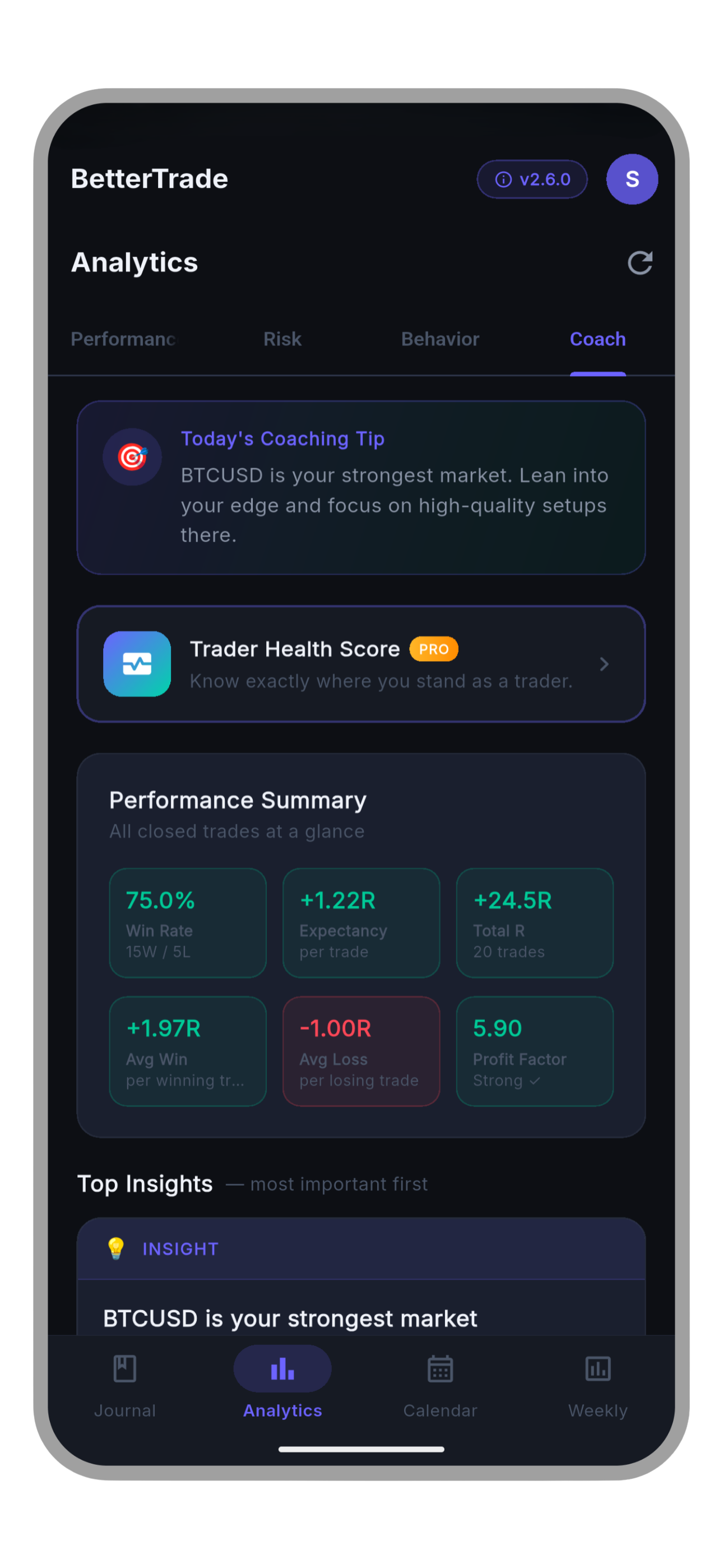
BetterTrade coach tab with smart insights
Coach Tab and Insights
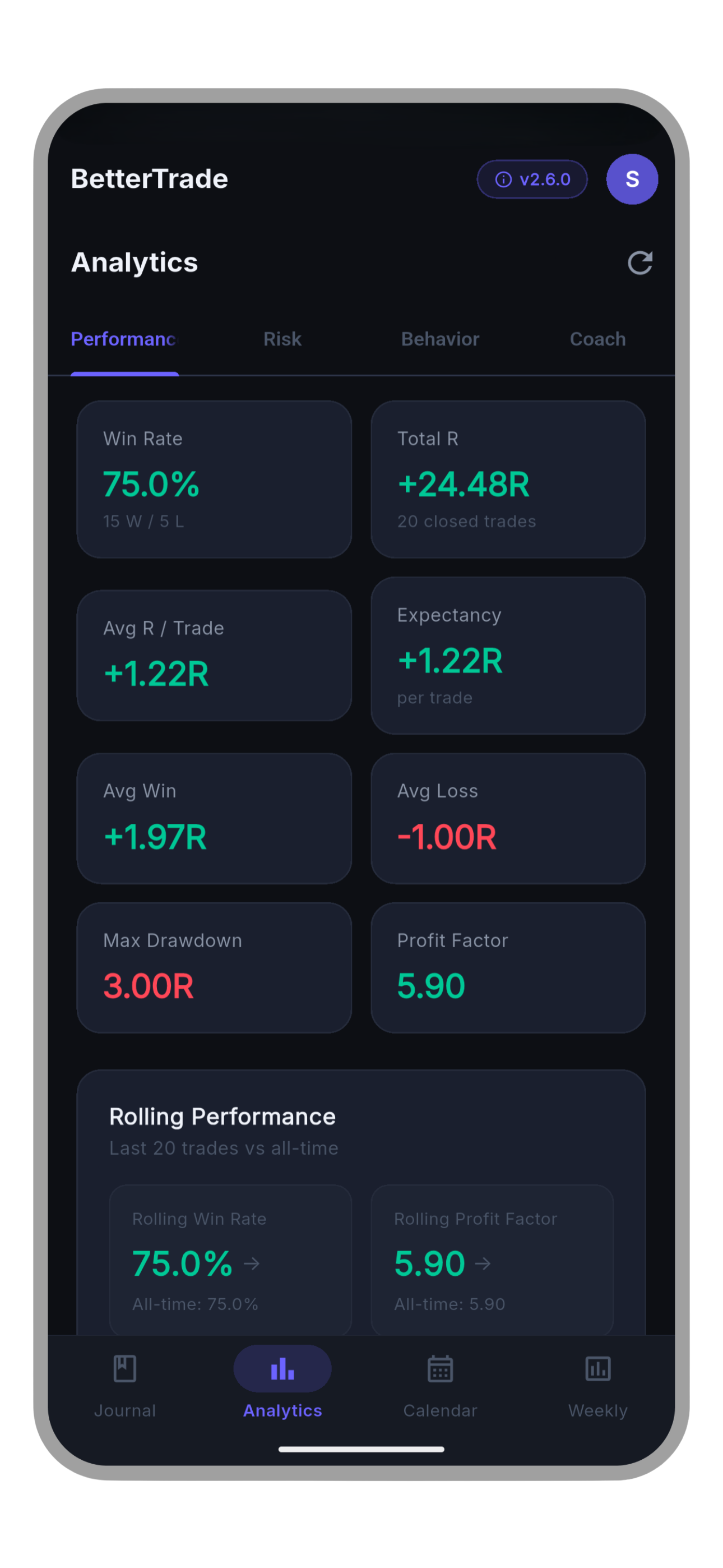
BetterTrade performance analytics
Performance Analytics
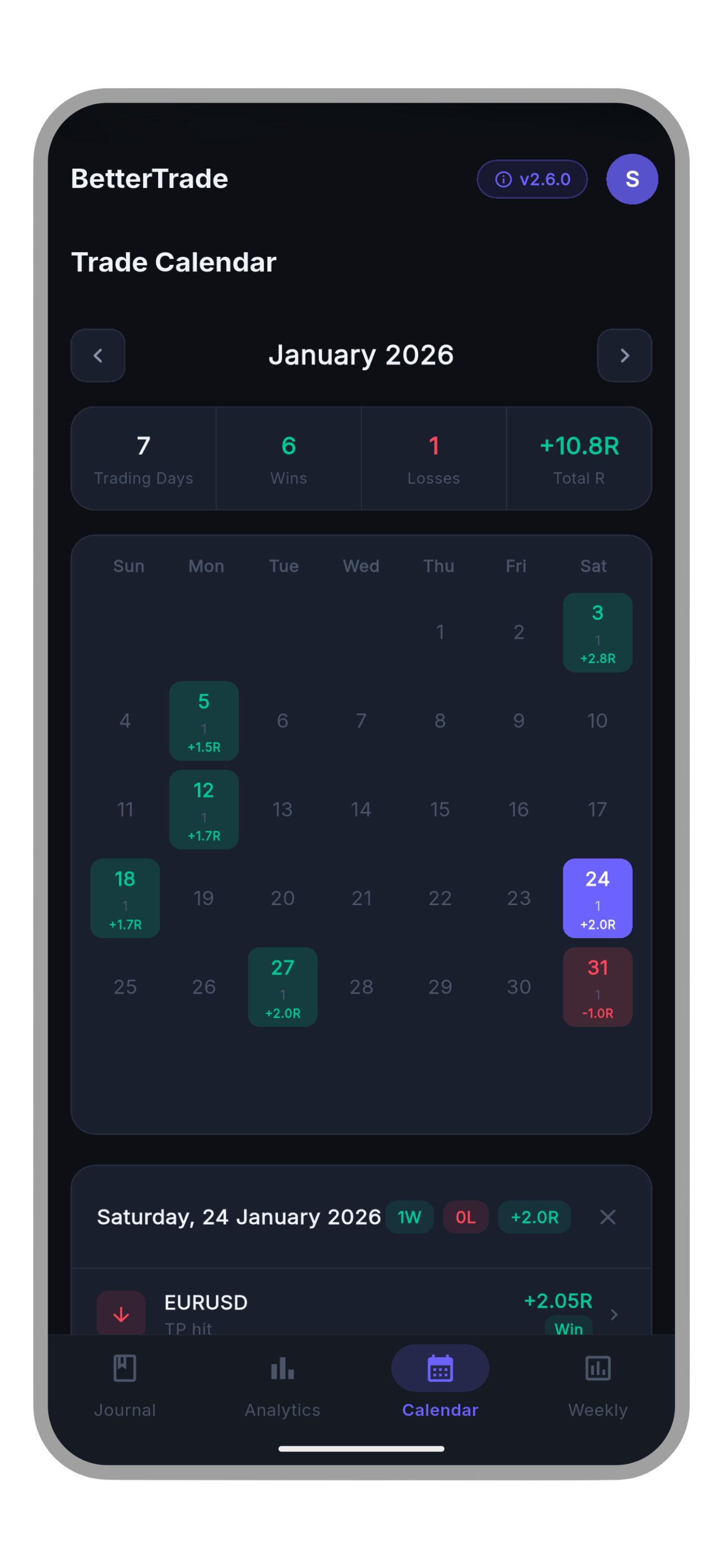
BetterTrade calendar view
Trade Calendar
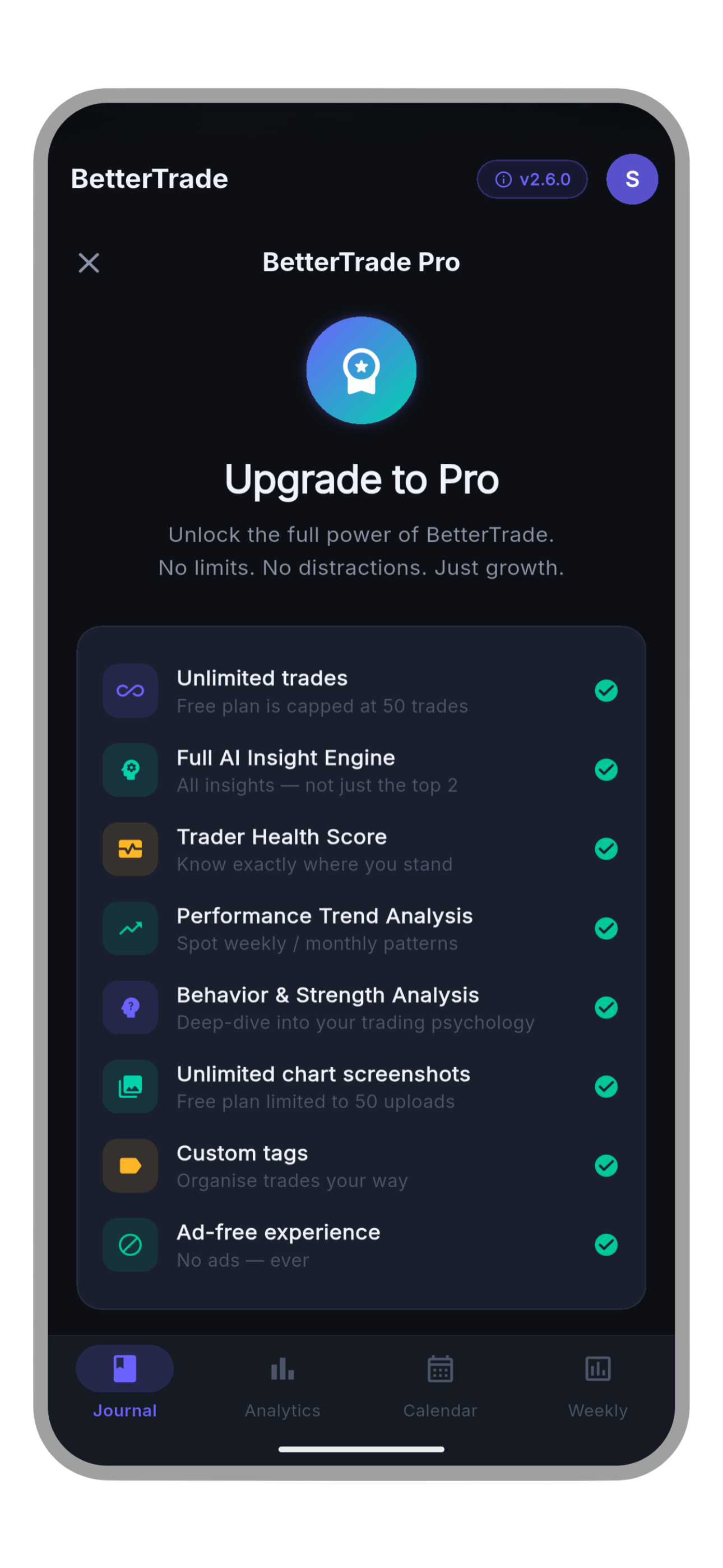
BetterTrade Pro upgrade
Go Pro

Built for traders who actually want to improve

BetterTrade is built around the full feedback loop: capture the trade, review the decision, spot the pattern, and carry one clear focus into the next session.

🔍
Rule-Based Insights That Stay Actionable
The current BetterTrade analytics stack includes 12 built-in insight rules plus coach follow-up loops. Revenge trading, checklist misses, session weakness, setup quality, and behavior cost all get turned into clear next actions instead of vague motivation.
Rule-based guidance, not black-box AI
📝
A Full Journal Loop, Not Just a Logbook
Pre-trade plans, playbooks, post-trade reviews, daily journaling, and weekly reports all live in the same flow. BetterTrade keeps the context around each trade so you can improve the process, not just the spreadsheet.
Plan, review, learn, repeat
🔁
Capture Trades Your Way
Add trades manually with auto R:R, import BetterTrade JSON or generic CSV, pull MetaTrader 5 statements, or pair MT5 Auto Sync with the BetterTrade EA for automatic closed-trade capture.
Manual, import, or MT5 Auto Sync
📱
Mobile-First and Offline Friendly
BetterTrade is designed for the moment right after a trade closes, not only for end-of-week desk work. The app keeps a local cache for fast loading and syncs back up when you are online again.
Journal from your pocket, not your desk
Fast Entry That Remembers Context
Auto R:R, duplicate last trade, saved templates, symbol memory, and the latest full-form restore improvements mean repeated setups no longer require retyping the same plan and sizing context.
Templates, restore, presets
📊
Analytics That Tell a Story
Performance, Risk, Behavior, and Insights tabs surface expectancy, streaks, risk of ruin, playbook quality, market-condition breakdowns, checklist impact, mistake cost, and focus-rule follow-through.
Deep, actionable numbers

The site now matches the current app roadmap

BetterTrade has moved well beyond simple trade logging. These release notes come from the app's own README and changelog so the public site reflects the same source of truth.

v2.21.1 2026-04-18
Trade Entry Reliability and Review Flow Polish

Journal feeds now stay newest-first, quick-review preferences can be remembered after a skip, the review action bar stays pinned, and templates plus Duplicate Last Trade restore the full form snapshot.

v2.21.0 2026-04-17
MT5 Auto Sync

BetterTrade can now pair with MetaTrader 5 for automatic closed-trade sync, remote trade alerts, connection management, and a simpler setup flow built around one API key plus the compiled EX5 EA.

v2.20.1 2026-03-23
Dedicated Review Workspace

Post-trade reviews now live on their own screen with pending and completed queues, and completed reviews survive refreshes because the local cache keeps the full review payload.


Get better in 4 simple steps

Start with the free tier, capture your trades however they arrive, and keep the review loop moving.

1
Download and Sign Up
Free on Google Play. Sign up with email or Google, verify your account if needed, and start from the free plan with no credit card required.
2
Capture Every Trade
Add trades manually with auto R:R, restore a saved template, import MetaTrader 5 or generic CSV files, or connect MT5 Auto Sync for automatic closed-trade logging.
3
Review the Process
Use the dedicated review workspace, daily journal, and weekly report to turn finished trades into lessons, follow-through, and next-session priorities.
4
Act on the Insights
Follow ranked insights, watch your score and analytics evolve, and carry one clear focus rule into the next trading session.

Everything a serious trader needs

From fast capture to structured reviews and MT5 connectivity, BetterTrade is built to keep your journal useful after the trade is over.

📓
Trade Journal
Log symbol, direction, entry, SL, TP, lot size, session, notes, screenshots, behavior tags, and pre-trade plan context with sync across devices and offline-friendly local cache.
Free
Fast Entry
Auto R:R calculation, duplicate last trade, lot presets, trade templates, custom tags, and symbol memory. Recent updates now restore the full form snapshot when you reuse templates or duplicate a trade.
Free
📝
Trade Reviews
A dedicated review workspace keeps pending and completed reviews separate from the main journal so you can close the loop on each finished trade without losing focus.
Free
🎯
Daily Journal and Weekly Report
Pre-session planning, post-session reflection, mood check-ins, focus rules, and an automated weekly summary keep your trading process visible between trades.
Free
📅
Trade Calendar
Month-view with per-day P&L colour coding - green profit days, red loss days, yellow breakeven. Tap any day for a full breakdown.
Free
📤
Import and Export
Import from MetaTrader 5 HTML or CSV, generic CSV, or BetterTrade exports with duplicate-safe fingerprints. Export your journal as JSON or CSV and share it directly from the app.
Free
🔁
MT5 Auto Sync
Pair BetterTrade with MetaTrader 5 using one generated API key, a guided setup screen, and the compiled BetterTrade MT5 Expert Advisor for automatic closed-trade sync and remote alerts.
Free
🔔
Notifications That Match the Workflow
Daily Check-In, Streak Protection, and Weekly Review reminders now line up with pending review work and journaling habits instead of blunt trade-count nudges.
Free
📊
Performance Analytics
Performance, Risk, Behavior, and Insights views cover expectancy, drawdown, risk of ruin, streaks, playbooks, market conditions, checklist impact, and mistake cost.
Pro
🔍
Smart Insight Engine
BetterTrade currently ships with 12 built-in insight rules that rank issues such as revenge trading, risk drift, session weakness, and behavior cost so you know what deserves attention first.
Pro
🏆
Trader Health Score
100-point score across Win Rate (25), Expectancy (30), Risk Control (25), and Discipline (20). Five tiers: Beginner to Elite. Updates with every trade.
Pro
🧭
Coach Dashboard
Coach focus loops, strengths versus issues, behavior-impact breakdowns, trend analysis, and follow-through cues help you stay honest about what to keep and what to change next.
Pro

Free to start. Pro to unlock everything.

Start free with the core journaling loop. Upgrade only when you want unlimited trade writes, deeper analytics, and an ad-free workspace.

Free
$0
Forever free - no credit card
  • 50 lifetime trade writes
  • Basic analytics
  • Trade Reviews and Daily Journal
  • Trade calendar
  • Import, export, and MT5 tools
  • Daily Check-In and Weekly Review reminders
  • - Full Smart Insight Engine
  • - Trader Health Score
  • - Coach Dashboard
  • - Unlimited trades
  • - Ad-free experience
Download Free
Pro
$4.99/mo
or $29.99/year
approx $2.50/mo - save 50%
  • Unlimited trades
  • Full analytics suite
  • Full review and journaling workflow
  • Trade calendar
  • Import, export, and MT5 tools
  • Reminder notifications
  • Smart Insight Engine
  • Trader Health Score
  • Coach Dashboard
  • Unlimited screenshots
  • Ad-free experience
Start Free, Upgrade In-App

Pricing shown here matches the in-app Pro plans: $4.99/month or $29.99/year.


Common questions

Everything you need to know before you download.

Is BetterTrade really free?

Yes - genuinely free. Download it, sign up, and start logging trades with zero cost and no credit card. The free tier gives you 50 lifetime trade writes, trade reviews, daily journaling, trade calendar, import and export tools, and reminder notifications. Upgrade to Pro in-app when you want unlimited trade writes, deeper analytics, and an ad-free workspace.

Why is BetterTrade so much cheaper than other journals?

BetterTrade is built mobile-first with a tighter scope around journaling, review flow, and practical analytics instead of a heavy desktop platform. The current Pro price is $4.99/month or $29.99/year, and you can stay on the free tier until you need more depth.

How does the Smart Insight Engine work?

It is a rule-based coaching system, not a black-box trade signal generator. The current BetterTrade release includes 12 built-in insight rules that analyze your journal for issues such as revenge trading, risk drift, session weakness, checklist misses, and behavior cost. Results are ranked by severity so you know what to tackle first.

Can I import or auto-sync trades from MetaTrader 5?

Yes. BetterTrade imports MetaTrader 5 HTML and CSV account history exports, supports generic CSV, and now offers MT5 Auto Sync. The current setup flow is built around one generated API key and the compiled BetterTradeMt5SyncEA.ex5 Expert Advisor.

Is my trading data secure and private?

Yes. BetterTrade uses Firebase Authentication, Firestore access controls, and App Check-backed protections for core app data. Screenshot uploads and certain helper flows use Cloudflare services, and all traffic is encrypted in transit. You can permanently delete your account and linked data at any time from inside the app.

Does the app work offline?

Yes. BetterTrade keeps a local cache so your journal and much of the analytics UI stay usable even when you lose connection. When you are back online, the app syncs changes and refreshes cloud data automatically.

What is the Trader Health Score?

A 100-point score computed from your actual trade history across 4 pillars: Win Rate (25 pts), Expectancy (30 pts), Risk Control (25 pts), and Discipline (20 pts). It places you in one of five tiers - Beginner, Learning, Developing, Proficient, or Elite - and updates automatically as you log more trades. Requires at least 10 closed trades.

What platforms does BetterTrade support?

BetterTrade is currently available on Android through Google Play. This site does not announce a public iOS release date.

Can I delete my account and all my data?

Yes, at any time. Go to Profile, scroll to Danger Zone, and tap Delete Account in the app. Your trade journal data, screenshots, feedback records, and import-support files tied to the account are deleted as part of that flow. See the Delete Account page for full details.


Ready to find your edge?

Join traders using BetterTrade to capture trades, review execution, sync MT5 activity, and keep the improvement loop moving from one session to the next.

Download Free on Google Play

Free tier - No credit card - Android